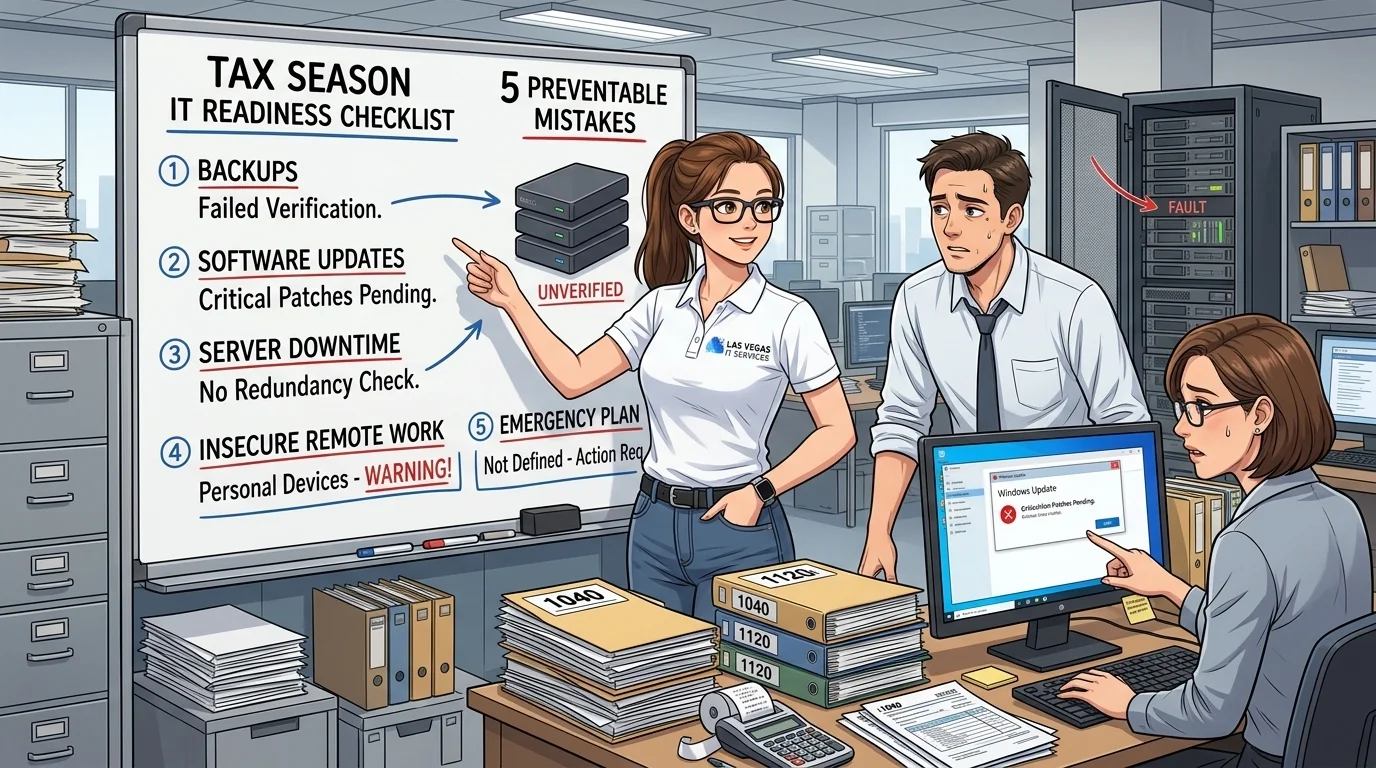
5 IT Mistakes Accounting Firms Make Before Tax Season
Tax season is stressful enough without IT problems. Every January through April, accounting firms run at full capacity-and that's exactly when a server crash or security breach can be catastrophic.
Here are the five most common IT mistakes we see accounting firms make, and how to avoid them.
1. Not Testing Backups Before Busy Season
You have backups running. Great. But when was the last time you actually restored from one?
Many firms discover their backups are corrupted or incomplete only when they desperately need them. Before tax season hits, do a test restore of critical data. Make sure your backup system is actually working.
Action item: Schedule a backup test in December. Restore a sample of files and verify they're intact.
2. Ignoring Software Updates Until Something Breaks
"If it ain't broke, don't fix it" is dangerous advice for IT. Software updates often include critical security patches. Delaying them leaves you vulnerable.
But you also don't want updates installing mid-workflow during busy season. The solution: get current before January.
Action item: Update all software-QuickBooks, tax software, Windows-in December. Then freeze non-critical updates during tax season.
3. No Plan for When the Server Goes Down
What happens if your server crashes on April 14th? Do you have a plan? Do your employees know what to do?
Every firm should have a documented disaster recovery plan. Who do you call? How quickly can systems be restored? Where is critical data stored?
Action item: Document your IT emergency procedures. Share them with your team. Know your IT provider's emergency number.
4. Letting Staff Use Personal Devices Without Security
Remote work is here to stay. But when staff access client data from personal laptops and phones, you're exposed.
Personal devices may lack encryption, antivirus, or secure connections. A single compromised device can expose all your client data.
Action item: Implement a policy for remote access. Require security software on any device accessing firm data. Consider providing work laptops.
5. Waiting Until Tax Season to Call for Help
The worst time to find IT support is when everything is on fire. Busy season means slower response times from everyone-including IT providers.
Build a relationship with your IT support before you need them urgently. They'll know your systems, your software, and your priorities.
Action item: If you don't have reliable IT support, find a provider now. Don't wait until January.
What should you do the week after tax season ends?
The week after April 15 is the most overlooked IT opportunity of the year. Your team is running on fumes, clients have calmed down, and the systems that just carried you through tax season are still fresh in everyone's mind.
That combination makes it the best time to fix what actually broke.
Five things worth doing in the post-season lull
-
Write down every IT incident that happened in season. The printer that froze on March 20. The file that disappeared. The password reset that took four hours. Capture them while the details are fresh. You will not remember them in October.
-
Test your backups again. You tested them in December. Now test them with the real volume of data that accumulated during season. Most firms discover backup gaps only when a restore fails, so do that discovery now, not in January.
-
Run the updates you deferred. If you froze non-critical updates during tax season, unfreeze them. Patch Windows, tax software, antivirus, and network gear. This is also a good time to decommission any hardware that struggled through the season.
-
Review user accounts. Seasonal staff, temporary logins, and contractor access often outlive their need. Disable anything inactive. Confirm every remaining account has MFA.
-
Update your WISP and incident log. If you have a Written Information Security Plan, add the season's lessons. If you do not, now is the time to start one while the operational details are still clear.
Why this beats waiting until fall
By September, the memory of tax season's pain points has faded. The upgrades and retraining you plan in the calm of summer have nothing to anchor them. Doing the post-mortem in April, while the frustration is still fresh, produces a list your team will actually act on before next January.
Get IT Off Your Plate
Tax season is demanding enough without worrying about technology. We specialize in IT support for accounting firms-fast response times, security that protects client data, and software support for the tools you use.
See our IT packages for accountants → | Get started with technical support → | Las Vegas IT services
