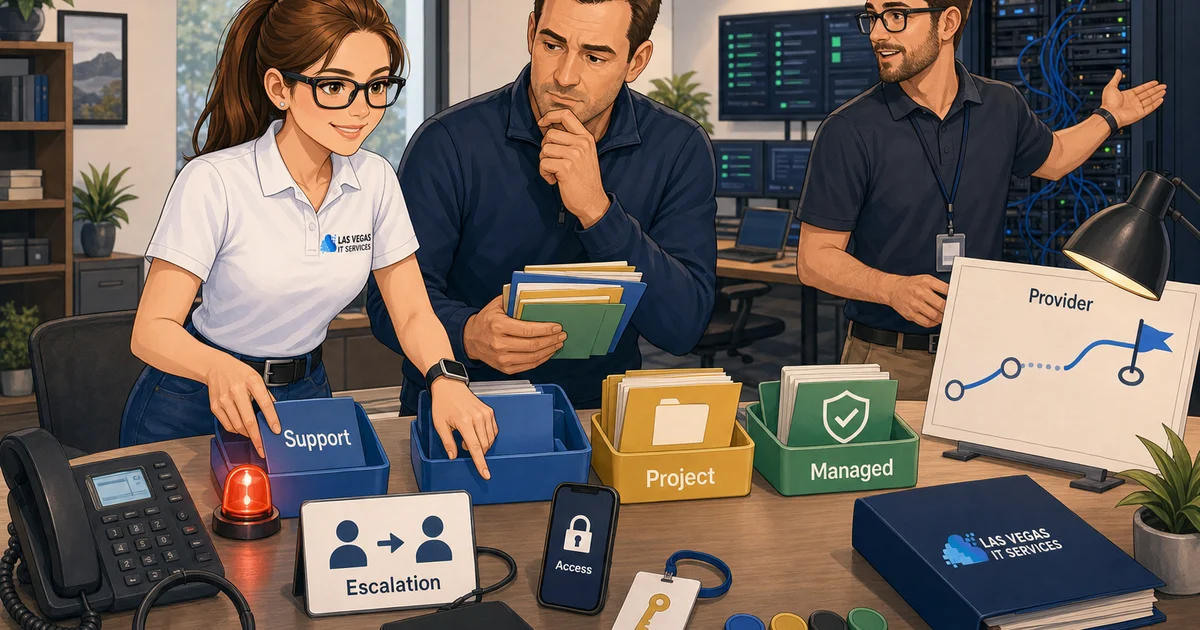
Small-business owners often use these phrases interchangeably, but they usually point to different levels of responsibility. "IT support" may mean help desk tickets. "IT services" may mean project work. "Managed IT" may mean a recurring agreement. "IT provider" may mean the partner expected to coordinate users, devices, vendors, security, recovery, and planning.
Before comparing proposals, the useful question is not which label sounds best. It is what kind of ownership the business actually needs.
Start With the Work That Cannot Stop
A better IT conversation starts with business impact. List the systems, people, and deadlines that matter most before asking vendors for pricing.
Use three questions:
- What work stops if this system fails?
- What data, customer trust, or deadline is at risk?
- Who owns the fix when the issue crosses software, devices, users, vendors, and security controls?
Those answers turn vague IT language into scope. If the business only needs occasional help with blocked users, a support arrangement may be enough. If the business needs ongoing accountability for backups, patching, onboarding, vendor coordination, Microsoft 365, and security basics, the conversation is probably bigger than ticket support.
What IT Support Usually Means
IT support is the help employees ask for when something blocks their work. That can include password resets, printer issues, workstation problems, basic software troubleshooting, device setup, and escalation when an issue needs deeper investigation.
Support matters, but it is usually reactive. It answers the question, "Who helps when a user is stuck?" It may not answer who documents the environment, tests backups, reviews access, coordinates vendors, or plans improvements.
When reviewing an IT support proposal, ask what counts as support, what response times apply, what is excluded, and how issues move from first response to escalation.
What IT Services Usually Means
IT services is a broader phrase. It can cover projects, consulting, cloud migrations, network upgrades, Microsoft 365 work, VoIP changes, compliance preparation, security hardening, office moves, or one-time cleanup.
This is where many proposals get confusing. A provider may offer both support and services, but recurring support does not automatically include every future project. A low monthly number can look attractive until onboarding, documentation, access cleanup, device replacement, or vendor coordination lands outside the agreement.
Separate recurring support from one-time stabilization and future projects. That makes it easier to compare proposals fairly.
What Managed IT Usually Means
Managed IT is a recurring operating model. The provider is expected to monitor, maintain, secure, support, and improve the environment within a defined scope.
A good managed IT agreement should explain:
- What systems are covered
- What onboarding includes
- How tickets are prioritized
- Which security controls are included
- How backups and recovery are tested
- How vendor coordination works
- What reporting or business reviews the owner receives
- Which projects are outside the monthly agreement
Managed IT should reduce uncertainty. It should not hide vague promises behind broad language like "we monitor everything." Ask what is monitored, who reviews alerts, when escalation happens, and what proof the business receives.
What an IT Provider Relationship Should Own
An IT provider relationship is the broadest version of the conversation. It includes support, services, managed IT, planning, and coordination across the messy handoffs that usually create business risk.
That relationship is useful when the business needs one accountable partner to connect the dots across users, devices, Microsoft 365, cybersecurity, backup, compliance evidence, internet providers, phone vendors, software vendors, and future projects.
The provider should be able to explain ownership in plain terms. What does LVIT own? What does the client own? What does a third party own? What happens when an incident touches all three?
A Practical Scope Checklist
Use this checklist before the next vendor conversation:
- User support and response expectations
- Device setup, replacement, and lifecycle planning
- Microsoft 365, email, identity, and MFA
- Backup testing and recovery expectations
- Endpoint protection, patching, and security monitoring
- Vendor coordination for internet, phones, copiers, and line-of-business apps
- Documentation for systems, access, licenses, and escalation paths
- One-time cleanup, onboarding, and stabilization work
- Future projects such as cloud desktops, VoIP, compliance, or office moves
The checklist does not need to be perfect. Its job is to expose assumptions. If every item depends on one person, one spreadsheet, or one vendor login, the business has an ownership problem. If backups exist but nobody can show a recent restore test, the business has an evidence problem.
Questions That Separate Real Scope From Sales Language
Bring direct questions to the first conversation:
- What does the first 30 days look like?
- Which systems will you document?
- Which work is included monthly and which work becomes a project?
- How do you handle urgent or after-hours incidents?
- What security baseline is included before add-on tools are discussed?
- How do you coordinate with software, phone, internet, copier, or compliance vendors?
- What evidence will we have that backups, patches, and access reviews are happening?
Clear answers are a good sign. Heavy jargon, pressure to sign before discovery, and vague promises about "full service" are warning signs.
How to Choose the Right Category
Choose IT support if the business mainly needs help desk coverage and clear escalation. Choose IT services if the immediate need is a defined project or cleanup effort. Choose managed IT if the business needs recurring accountability for daily operations, security basics, documentation, and maintenance. Choose a broader IT provider relationship if the real problem is ownership across support, projects, vendors, risk, and planning.
Most SMBs do not need a bigger label. They need a clearer operating agreement.
Next Steps
Start with a one-page inventory of systems, users, vendors, risks, and recurring pain points — an IT assessment is a fast way to build that baseline. Mark which items are documented, which are owned by a person, and which are only known informally. Then use the questions above to compare support options or plan the next internal improvement.
LVIT helps SMB operators turn IT support, cloud, cybersecurity, Microsoft 365, compliance, and vendor-management questions into practical plans. If your team is trying to name the IT help it actually needs before a renewal, audit, outage, hiring push, or vendor conversation, bring the checklist to the conversation and use it to separate real operational value from generic IT promises.
Frequently Asked Questions
What is the difference between IT support and managed IT?
IT support is typically reactive help — password resets, printer and workstation issues, and escalation when a user is stuck. Managed IT is a recurring operating model where a provider monitors, maintains, secures, and supports the environment within a defined scope, including backups, patching, and documentation.
What does "IT services" mean?
IT services is a broader term covering project and one-time work: cloud migrations, network upgrades, Microsoft 365 projects, security hardening, compliance prep, or office moves. Recurring support does not automatically include these projects, so they should be scoped separately.
What does an IT provider relationship include?
An IT provider relationship is the broadest arrangement. It bundles support, services, and managed IT with planning and coordination across users, devices, Microsoft 365, security, backups, and outside vendors — giving the business one accountable partner for the handoffs that usually create risk.
Do I need managed IT or just IT support?
Choose IT support if you mainly need help desk coverage and clear escalation. Choose managed IT if you need ongoing accountability for daily operations, security basics, documentation, backups, and maintenance. The deciding factor is how much ownership the business needs, not which label sounds best.
How do I compare IT proposals fairly?
Compare scope before price. Separate recurring support from one-time stabilization and future projects, confirm who documents systems and tests backups, and require evidence for the security basics rather than broad monitoring claims.
