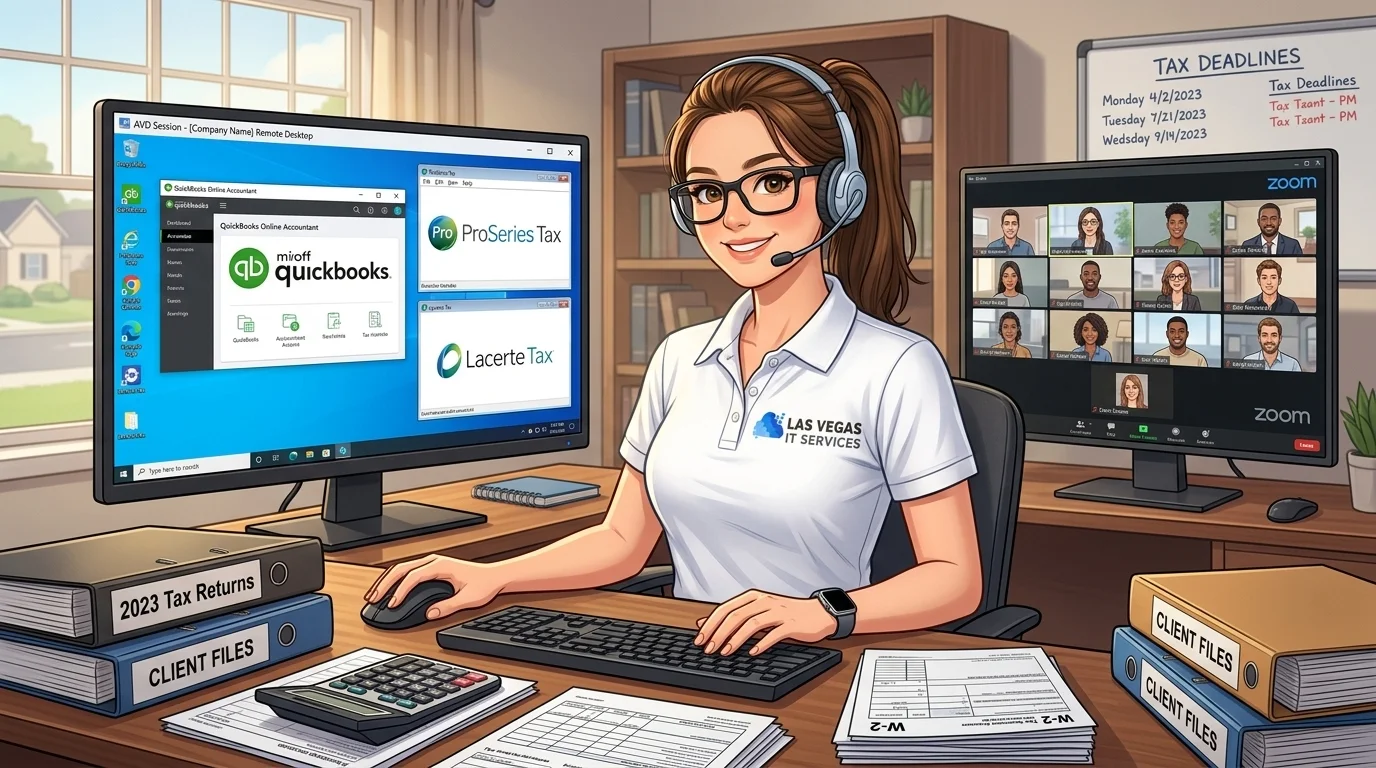
Tax season means long hours, tight deadlines, and zero tolerance for IT problems. The last thing you need is a server crash at 10 PM on April 14th.
Azure Virtual Desktop (AVD) lets you run QuickBooks, ProSeries, Lacerte, and other tax software in Microsoft's cloud - accessible from any device, anywhere, with bank-level security. And you can do it for under $300 per month.
Need to move QuickBooks, ProSeries, or Lacerte off an aging office server? We can review your users, tax software, Microsoft 365 licensing, security needs, and remote-work requirements before you spend money in Azure. Request a cloud desktop assessment or view IT packages for accounting firms.
ACH checkout bonus: Pay with ACH bank transfer when you sign up and get a $5 Amazon Gift Card after the ACH transaction clears.
What Is Azure Virtual Desktop?
Think of it as your office computer, but running in Microsoft's data center. You connect from your laptop, tablet, or even your phone, and everything looks exactly like your normal Windows desktop. Your tax software, your files, your shortcuts - all there.
The difference? Microsoft handles the hardware, the backups, the security patches, and the uptime. You just work.
Why are accounting firms moving to AVD?
Work from anywhere. Staff can access ProSeries from home, a client's office, or a coffee shop. Same experience, same files, same speed.
No more server maintenance. No hardware to replace every 5 years. No middle-of-the-night crashes. No "the server room is too hot" emergencies.
Enterprise security. Your client data sits in Microsoft's data centers - the same ones that protect Fortune 500 companies. Multi-factor authentication, encryption, and compliance certifications come standard.
Predictable costs. One monthly bill instead of surprise repair costs and emergency IT calls.
The $300/Month Setup
Here is a realistic configuration for a small accounting firm:
For 1-3 users (light usage): - Azure Virtual Desktop: D2s v3 (2 vCPU, 8GB RAM) - Running 10 hours/day, 22 days/month - Storage: 128GB Premium SSD - Estimated cost: $150-200/month
For 3-5 users (moderate usage): - Azure Virtual Desktop: D4s v3 (4 vCPU, 16GB RAM) - Running 12 hours/day, 22 days/month - Storage: 256GB Premium SSD - Estimated cost: $250-300/month
These estimates assume you shut down the virtual machine outside business hours. Azure only charges when the VM is running - nights and weekends are free.
Want a real estimate for your firm? The right Azure size depends on user count, QuickBooks company-file size, tax software workload, remote access hours, and backup requirements. Start the cloud desktop assessment and we will map the practical monthly cost before you migrate.
Software Compatibility
QuickBooks Desktop: Runs perfectly on AVD. Multiple users can access the same company file simultaneously. Intuit officially supports cloud-hosted installations.
ProSeries: Thomson Reuters supports ProSeries on virtual desktop environments. Performance is excellent - tax returns calculate just as fast as on local hardware.
Lacerte: Also fully supported on AVD. The application runs natively in Windows, so there are no compatibility issues.
Other software: Drake, UltraTax, ATX, and most Windows-based tax software work without issues. If it runs on Windows, it runs on AVD.
What do you need to get started?
- AVD licensing - either per-user access pricing through Azure, or existing Microsoft 365 Business Premium/Enterprise licenses (which include AVD access)
- Azure subscription - pay-as-you-go, no long-term commitment
- Initial setup - someone needs to configure the virtual machines, install your software, and set up user access
The setup is the tricky part. Azure's interface is powerful but complex. Most firms work with an IT provider for the initial configuration, then manage day-to-day operations themselves.
Real-World Performance
"Will it be slow?"
This is the first question every accountant asks. The answer: no, if configured correctly.
AVD runs on enterprise-grade hardware in Microsoft's data centers. Your virtual machine has dedicated CPU and RAM - it is not shared with other customers. With a decent internet connection (25 Mbps or better), you will not notice any lag.
Tax return calculations, report generation, data imports - all run at full speed. Some firms report that AVD is actually faster than their old in-office servers.
Security and Compliance
For accounting firms, security is not optional. AVD delivers:
- Data encryption at rest and in transit
- Multi-factor authentication for every login
- Conditional access policies - block logins from suspicious locations
- Automatic security patches - Microsoft handles updates
- SOC 2 and ISO 27001 compliance - meets regulatory requirements
Your client data never sits on a laptop that could be lost or stolen. Everything stays in Microsoft's secured data centers.
The Catch
AVD is not plug-and-play. The initial setup requires Azure expertise:
- Sizing the virtual machine correctly
- Configuring networking and security
- Installing and licensing your software
- Setting up backups and disaster recovery
- Training your team on the new workflow
This is where most firms need help. A botched setup leads to poor performance, security gaps, or runaway costs.
Is AVD Right for Your Firm?
Good fit: - 2-10 employees - Staff working remotely at least part-time - Tired of server maintenance headaches - Want predictable monthly IT costs - Need to access software from multiple locations
Maybe not: - Solo practitioner with simple needs (consider QuickBooks Online instead) - Firm with unreliable internet connectivity - Already have a new server that is working well
What We Check Before Recommending AVD
Before we recommend Azure Virtual Desktop, we look at the parts that usually make or break the project:
- Which accounting and tax applications you run
- Number of year-round users versus seasonal users
- QuickBooks company-file size and shared-file workflow
- Microsoft 365 licensing already in place
- Remote access needs during tax season
- Backup, retention, and disaster recovery requirements
- Security controls such as MFA and conditional access
- Whether a smaller cloud desktop, full AVD setup, or another option is the better fit
That review keeps the project practical. Some firms need a complete AVD environment. Others only need a smaller cloud desktop or a better remote-access plan.
Getting Started
The best approach is a pilot program. Set up one virtual machine, migrate one user, and test for a few weeks. If it works well, expand to the whole team.
We help Las Vegas accounting firms migrate to Azure Virtual Desktop - from initial assessment through ongoing support. If you are curious whether AVD makes sense for your practice, let's talk.
Ready to move tax software to the cloud? Start with a focused assessment, not a guess. Get started with cloud desktops, see our IT packages for accountants, or contact Las Vegas IT Services.
When you check out, choose ACH bank transfer to qualify for the $5 Amazon Gift Card promo.
Learn more about our Azure Virtual Desktop solutions | Las Vegas IT services
