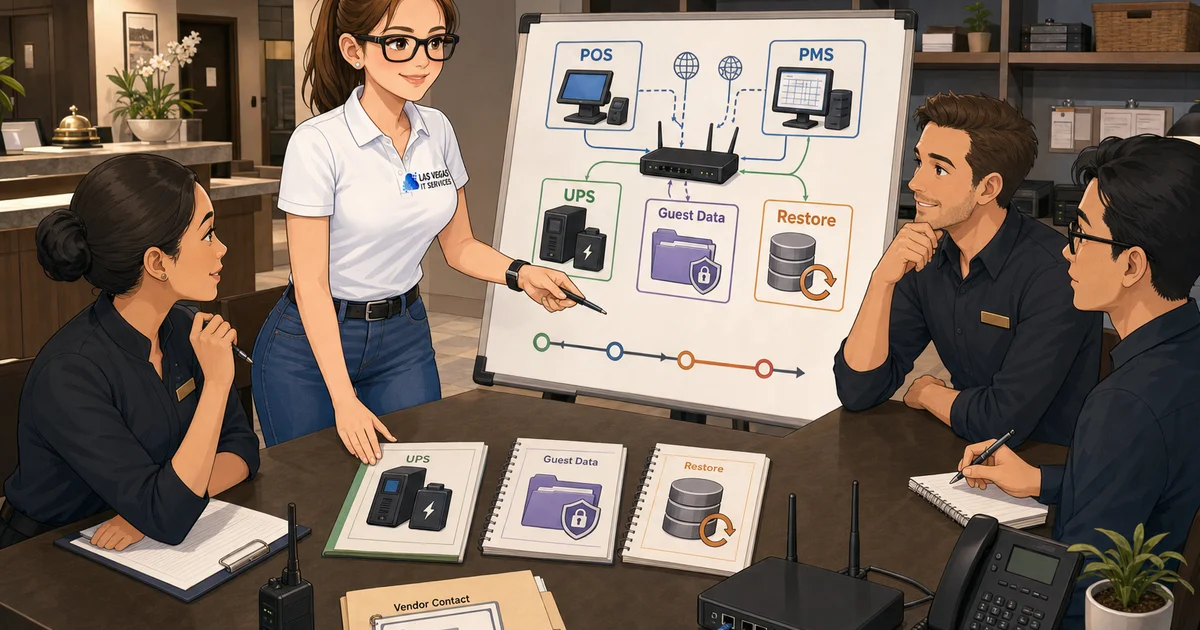
Backups matter, but they are not the whole continuity plan for a Las Vegas hospitality business. A restaurant, bar, small hotel, event supplier, or gaming-adjacent operator can have clean backups and still be stuck if the point-of-sale system cannot process orders, the reservation platform is unreachable, the internet circuit is down, or nobody knows which vendor owns the next step.
This guide is written for owners and managers who need a working plan, not a binder that only appears after an outage. The goal is simple: know which systems keep revenue moving, who owns each recovery step, and what proof you have before the next disruption.
Start With the Work That Stops Revenue
List the business functions that cannot wait until tomorrow. For a hospitality operation, that usually includes POS, payment processing, reservations, door access, Wi-Fi, phones, kitchen or service tickets, vendor portals, and manager access to cloud dashboards. For event and gaming-adjacent suppliers, add dispatch, inventory, warehouse systems, mobile devices, and customer communications.
Do not start with software names. Start with the work. If the bar cannot close checks, if the front desk cannot confirm rooms, or if the catering team cannot see the event schedule, the continuity plan has to explain what happens next. Our companion piece on guest data security for Las Vegas hotels and event venues covers the data-handling side of those same workflows.
A useful first pass is a two-column list: what stops, and who owns recovery. If the second column says "call someone" or "ask the vendor," the plan is not clear enough yet.
Map Vendors Before the Outage
Hospitality IT problems often cross several vendors at once. A POS issue may involve the POS vendor, internet provider, firewall, payment processor, endpoint, and user permissions. Reservation issues may touch a browser, cloud service, identity login, device policy, and Wi-Fi. During a live service window, that overlap creates finger-pointing unless ownership is defined ahead of time.
Create a vendor map with support numbers, account IDs, admin portals, escalation rules, after-hours coverage, and the person authorized to approve changes. Store it somewhere managers can reach even if email or the office network is down.
The important question is not only who to call. It is who coordinates the calls. For many SMBs, the managed IT provider should be the technical coordinator across internet, firewall, endpoint, cloud, and software vendors. If that is not in the agreement, clarify it before the incident.
Test Restores, Not Just Backups
A backup report is not the same as recovery evidence. Ask when the last restore test happened, what was restored, where it was restored, how long it took, and who reviewed the result. For hospitality systems, test the data that matters: shared files, manager devices, accounting exports, configuration records, vendor documentation, and any locally stored operational data.
For cloud systems, confirm what the platform actually backs up and what remains the business's responsibility. Microsoft 365, POS systems, reservation tools, and practice-specific cloud apps each handle retention differently. If the answer depends on a setting nobody has reviewed, that is a continuity gap. The first 30 minutes of a real recovery rarely look like the runbook — see what to do when a business is hit by ransomware for a sense of how recovery decisions actually unfold under pressure.
Plan Internet and Power Workarounds
Las Vegas operators should think through internet and power as operational dependencies. A secondary internet circuit, cellular failover, battery backup for network gear, and documented offline procedures can buy time during a disruption. The right setup depends on the business model, not on a generic checklist.
Ask these questions:
- Which systems need internet to keep taking revenue?
- What can run on cellular failover, and what cannot?
- Which network devices need battery backup?
- Who receives alerts when failover happens?
- How do employees know when to use offline procedures?
Avoid assuming failover works because it was installed once. Test it during a controlled window and record the result. If the network closet has been quietly running hot, that is its own continuity risk — see our take on why hot data closets fail Las Vegas businesses before the next desert summer.
Protect Guest and Customer Data During Recovery
Continuity planning should not create a security shortcut. During outages, employees may share passwords, use personal devices, disable MFA, or export sensitive files to keep work moving. Those shortcuts can create a second incident.
Set a recovery baseline: named admin accounts, MFA, least-privilege access, documented break-glass procedures, endpoint protection, and offboarding discipline. The NIST Small Business Cybersecurity Corner is a clean reference point for that baseline, and our cybersecurity checklist for Las Vegas small businesses translates it into prioritized actions an operator can run through before peak season.
The question for managers is practical: can the team recover without bypassing the safeguards that protect customers?
Define After-Hours Escalation
Hospitality does not operate only from 9 to 5. If the business needs evening, weekend, or event-day support, the agreement should say what qualifies as urgent, how to reach support, how response is measured, and what vendors are included.
Write the escalation path in plain English. Who calls first? What information do they collect? Who can authorize emergency work? When does the issue move from standard support to incident coordination? A clear path prevents managers from improvising under pressure. The SBA's guidance on preparing your business for emergencies is a useful framework when documenting that path for the first time.
Build a 30-Day Continuity Cleanup Plan
Start small. In the next 30 days, document core systems, confirm vendor contacts, review admin access, test one restore, check network battery backup, and write the after-hours escalation path. Then schedule a quarterly review.
LVIT helps Las Vegas SMB operators turn continuity planning into a practical operating system: documented vendors, tested recovery, safer access, and clear ownership before a service interruption becomes a customer problem.
If your last "what if everything went down tonight?" conversation ended without a written plan, start a no-pressure conversation about your continuity gaps and 30-day cleanup →
